SignalCast
Free digital signage that turns any smart TV into a sign. No media player, no IT ticket. Install a TV app, pair a code, and update every screen by Telegram message, Alexa, or AI agent. I'm designing the whole thing: the on-screen experience, the control model, and the apps across seven TV platforms.
Lead Product Designer
ITsutra
Google Stitch · Google AI Studio
2026 · Live & ongoing
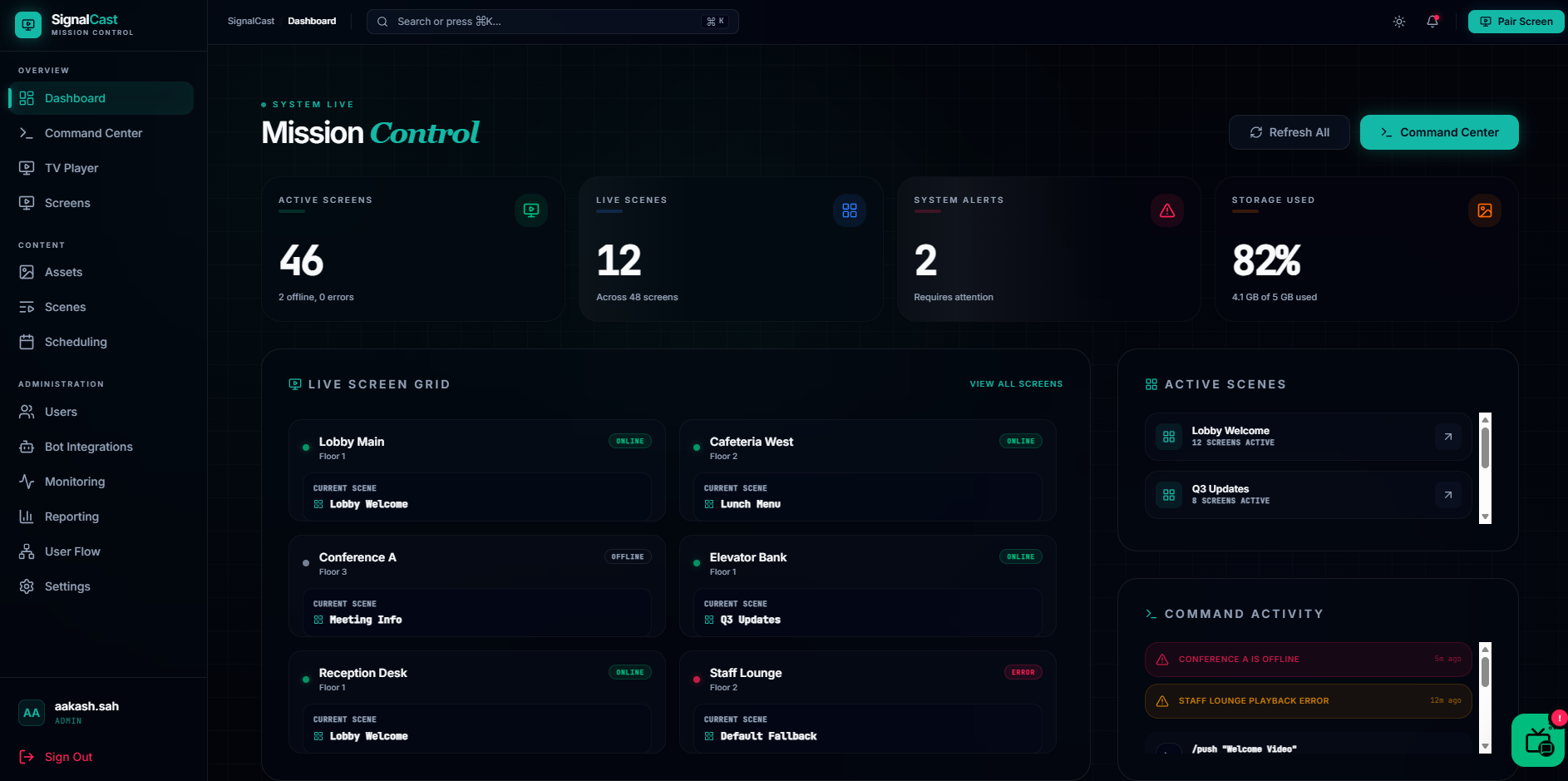 Fig. 01 - SignalCast Mission Control
Digital signage without the price tag, or the IT ticket.
Traditional digital signage is quietly painful: $200–$700 media players, $15–$30 per screen every month, hours of setup, and an IT team for every change. SignalCast's bet is that none of that is necessary: the TV you already own, plus a message, is enough.
My job is to make that bet feel real: to take a category that's always been enterprise-heavy and make it something a café owner or office manager can run from their phone, exactly the kind of complex system I like making feel simple.
One product, seven TVs, and a phone, all in sync.
The surface area is unusually wide. The same experience has to feel native on Roku, Fire TV, Samsung Tizen, LG webOS, Apple TV, Android TV, and the web (each with its own remote, constraints, and conventions) while staying coherent end to end:
- A 10-foot, lean-back screen designed to be read across a room, not tapped.
- A control surface (phone, chat, voice, dashboard) that's always one message away.
- Multi-zone layouts: main content plus ticker, sidebar, or clock, without clutter.
- Resilience designed in: screens keep playing from cache when the network drops.
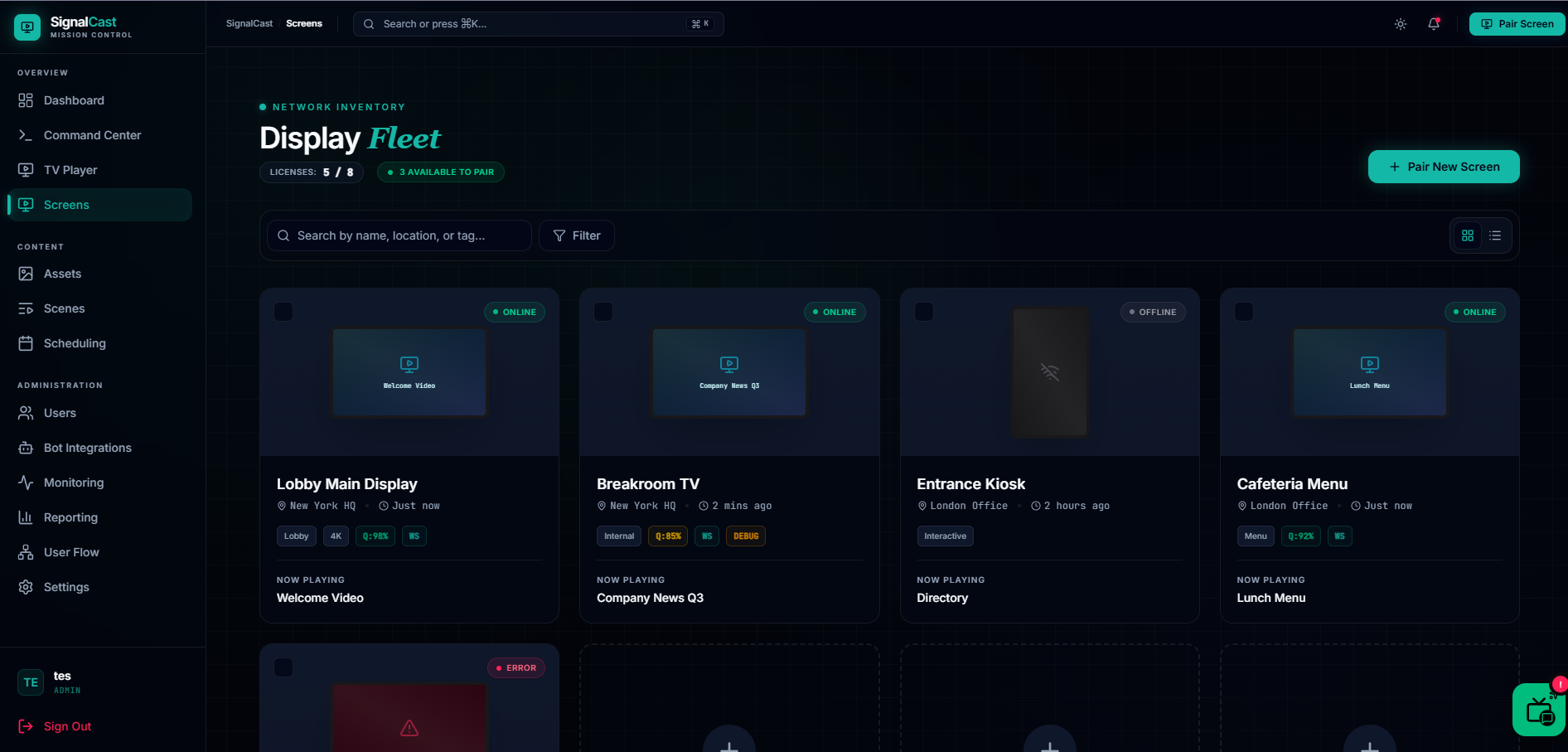 Fig. 02 · The display fleet, every screen at a glance
"Say it or text it." No CMS to learn.
Instead of a heavy content-management system, SignalCast is controlled with the tools people already use: a Telegram message (natural language, even voice notes), an Alexa command, the web dashboard, or, fittingly for how I build, AI agents over MCP, with tools any model can call.
The design problem there is trust: when someone types "show lunch specials on the lobby TV," they need instant, unambiguous proof the screen actually changed. So confirmation, status, and the sub-two-second update loop are as much a part of the design as the screen itself.
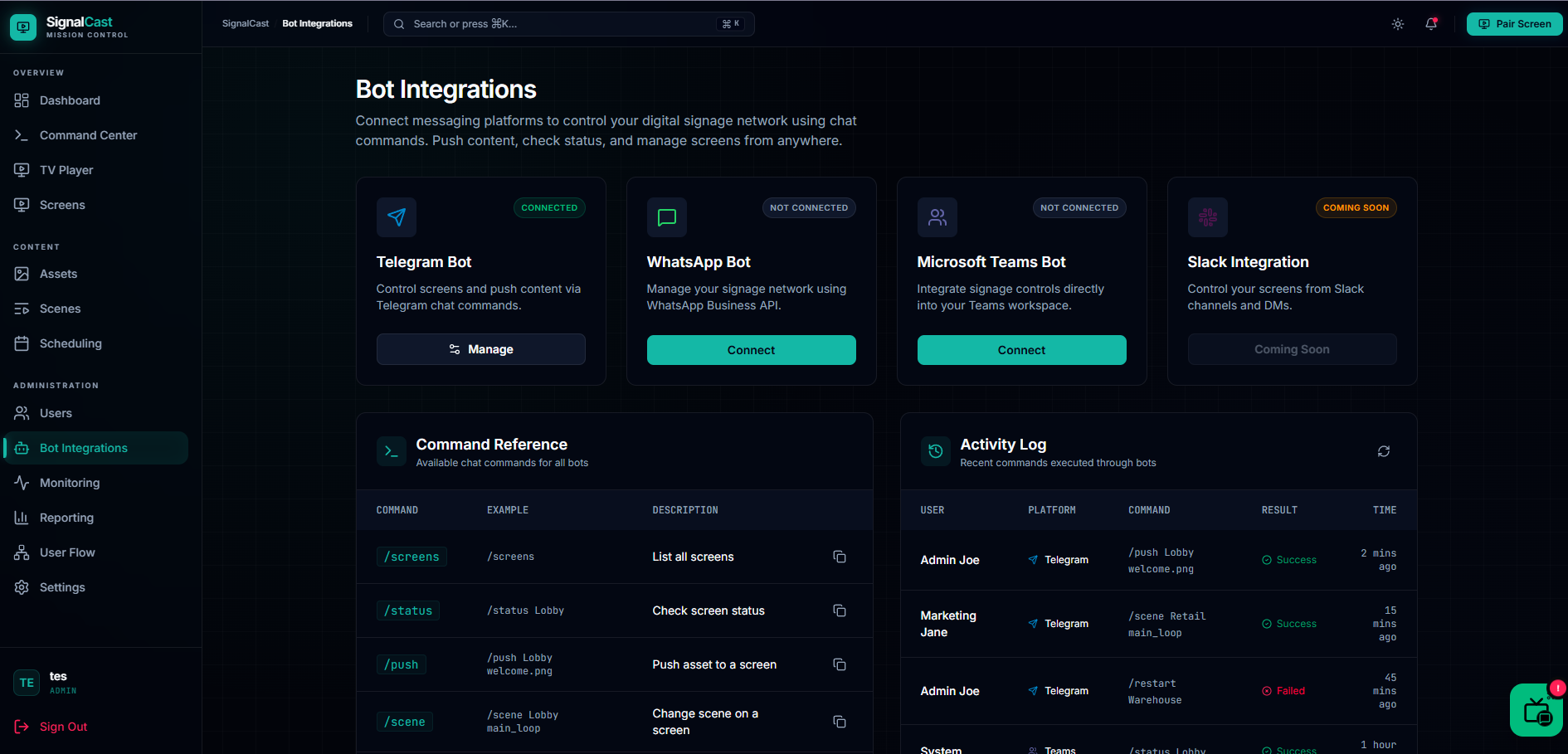 Fig. 03 · Control by chat, with a command reference anyone can read
Live on screen in under ten minutes.
Install the app, enter the pairing code on the dashboard, send your first piece of content. Done. Designing that first run so it genuinely takes minutes, with no training and no IT, is the moment the whole promise either lands or doesn't.
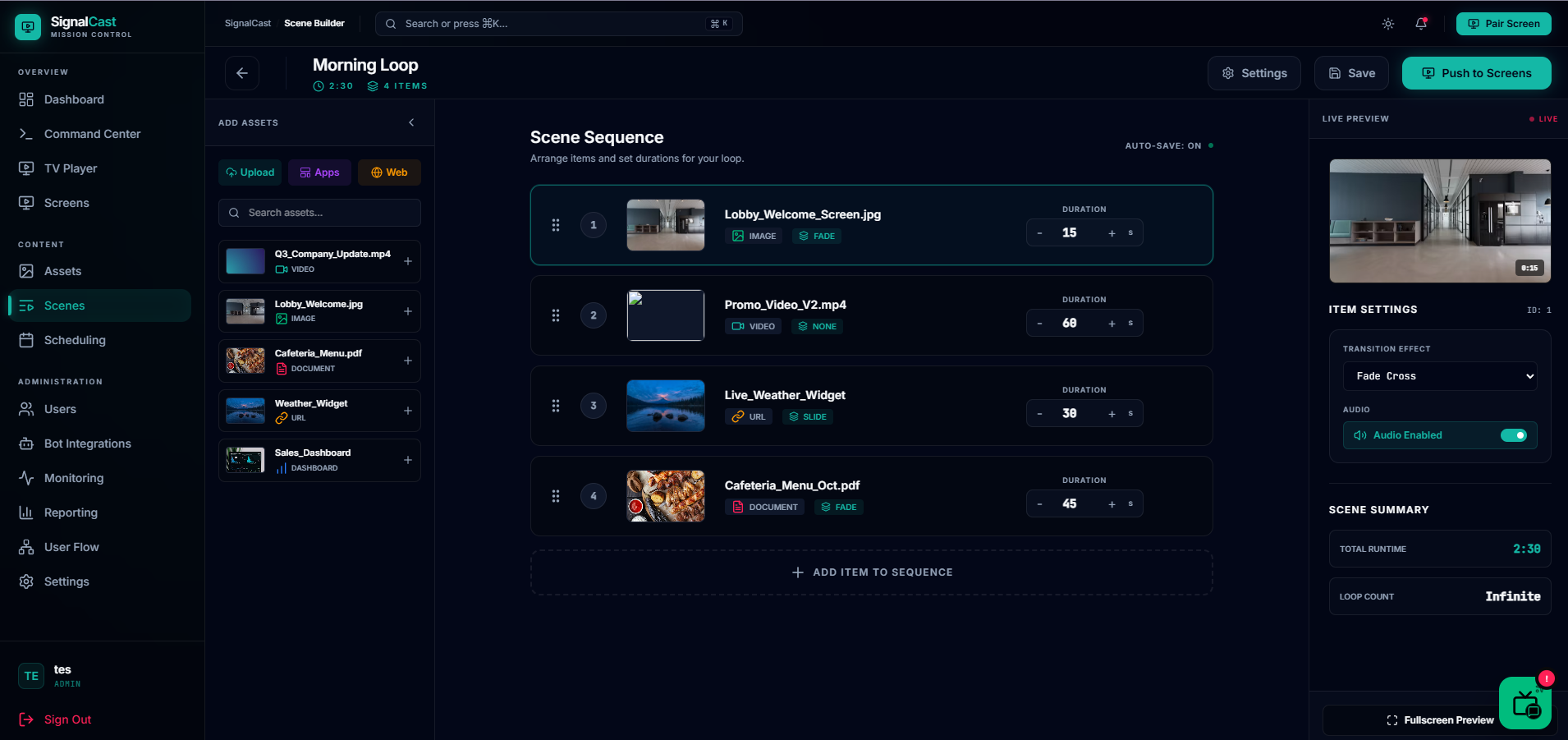 Fig. 04 · Scene builder
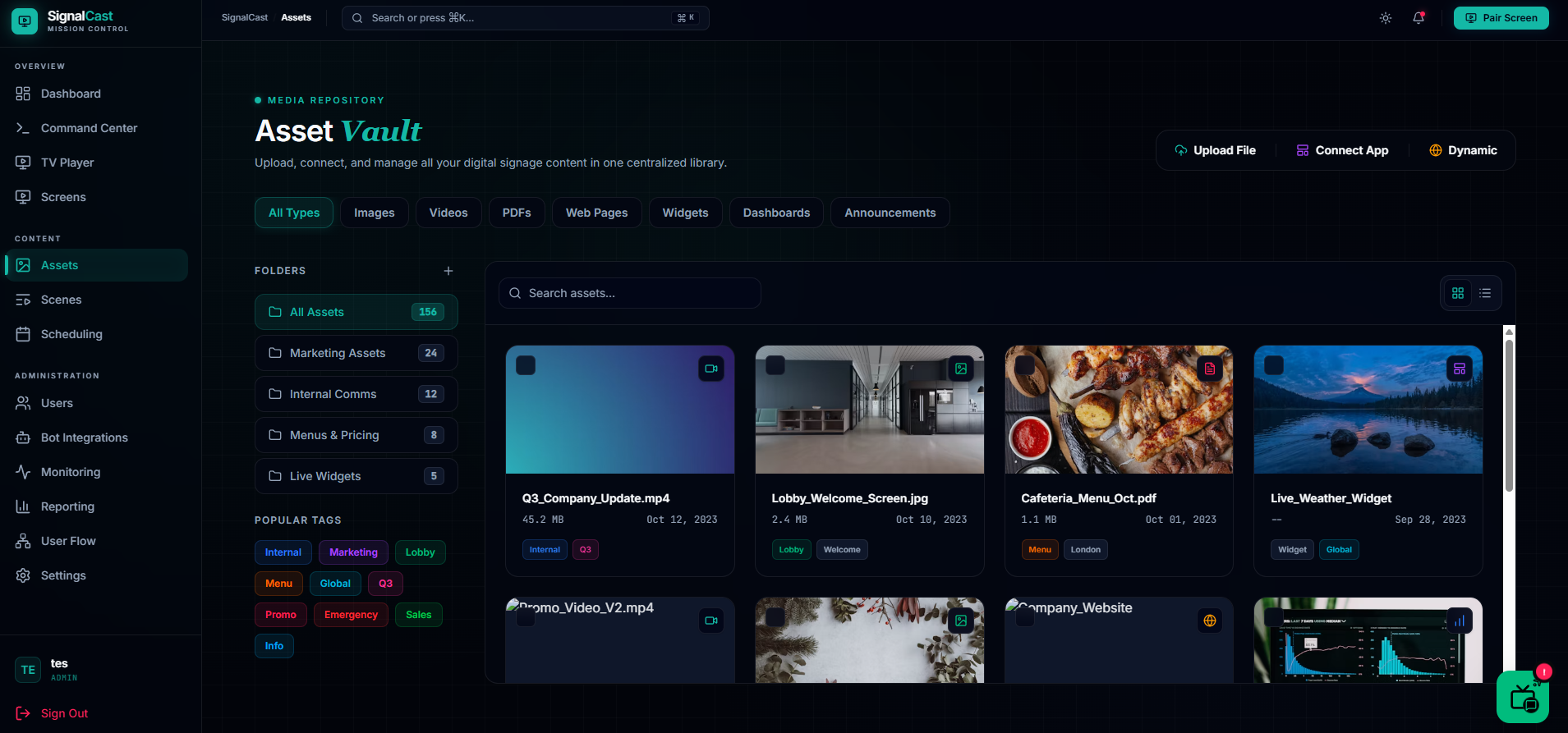 Fig. 05 · Asset vault
From research to screens, the AI-native way.
I started with research. Audience research to understand who actually runs signage, café owners, office managers, front-desk staff, and market research into where the existing tools get it wrong. That fed the core user flows: how someone gets from a blank TV to a live screen with as few steps as possible.
From the flows, I used Google Stitch to turn the structure into real screens quickly, then moved into Google AI Studio to refine the visual design and the interactions. Once the direction held together, I handed the work to the development team to build out across the seven platforms.
Designing this way, AI-native from flow to screen, is a big part of why a product this broad can keep moving with one designer leading it.
Live, and still shipping.
SignalCast is my active flagship, so this case study grows as the product does. The clearest way to see the current state is to open it live →, or get in touch for a walkthrough.